We use cookies to make your experience better. Learn more.
Language  English
English Crnogorski
 Русский
|
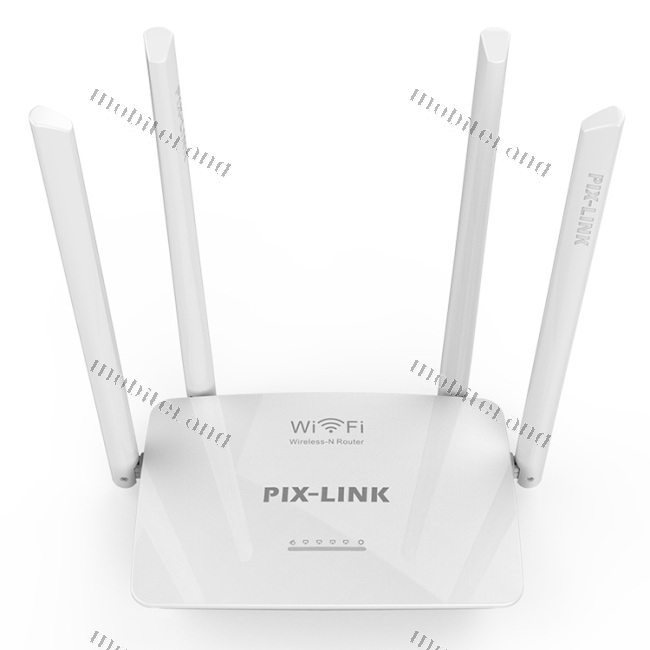
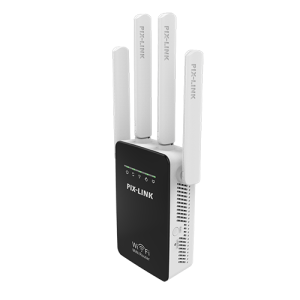
EnglishWireless-N router Pix-Link, model LV-WR08, with four external 5dBi antennas and a working frequency range of 2.4GHz.
Image is for reference — the product name and specification are authoritative.
Pix-Link LV-WR08 is a wireless Wireless-N router made of white plastic with a glossy top surface and rounded edges. The device is equipped with four removable external Omni-directional antennas of 5dBi each, ensuring a stable wireless signal on the 2.4GHz frequency range. On the front, there are six small LED indicators for monitoring the status and buttons for WPS and Reset functions. It supports management via a mobile application, and the default IP address for accessing settings is 192.168.10.1.
| Brand | Pix-Link |
|---|---|
| Color | White |
| Model | LV-WR08 |
| Buttons | WPS, Reset |
| Antennas | 5dBi detachable Omni-directional × 4 |
| Material | Plastic |
| Standard | Wireless-N |
| Default IP | 192.168.10.1 |
| Management | APP Control |
| Device Type | Wireless Router/AP/Repeater |
| Frequency Range | 2.4GHz |
The router operates on the 2.4GHz frequency band.
It has four detachable omnidirectional 5dBi antennas.
You can use a mobile app or enter the IP address 192.168.10.1 in your browser.
The buttons are used for WPS connection and resetting the device.
Yes, it supports operating modes such as router, access point (AP), and repeater.
| Manufacturer | Pix-Link |
|---|